Introduction to CSS
Purty it up real nice
- CSS stands for Cascading Style Sheets
- Styles define how to display HTML elements
- Styles can be stored External, Internal, or Inline
- External styles are stored in a .css file
Example rule
p {
	color: #ff0000;
}
Anatomy of a Rule
Anatomy of a Rule
Sing with me, "the selector is connected to the property, the property is connected to the value"
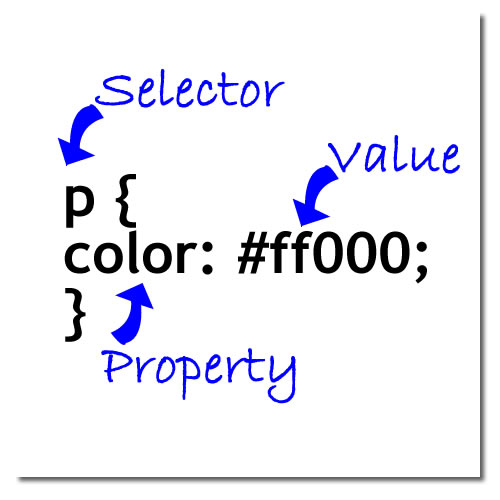
Separate property and value with a colon. Separate multiple declarations with a semi-colon.
CSS Examples
Some CSS Examples
K.I.S.S.
All paragraph text will be red
p { color: #ff0000; }
The background of all paragraphs will be red
p { background-color: #ff0000; }
The entire page will have a background color of gray
body { background-color: #ccc;}
The entire page will have a background color of black and a text color of white
body {
	background-color: #ff0000;

	color: #fff;
}
More Examples
Some MORE CSS Examples
Fonts, colors, background. . oh my!
The web page text will be arial (or another sans-serif), dark blue and size medium.
body {
	font-family: arial, sans-serif;
	color: #000066;
	font-size: medium;
}
All links will be white, bold and no underline.
a {
	color: #fff;
	font-weight: bold;
	text-decoration: none;
}
All paragraphs will have the pback.gif image as their background
p { background-image: url(images/pback.gif); }
Inheritance and Classes
Inheritance
What did the little <em> say to the parent <p>?
Elements will inherit style(s) from their parents. Parents are simply the elements that contain other elements.
Inheritance example. In this example the <em> tag will have the same style that <p> tag has.
<p>This is simpler than it sounds.  Any elements inside this paragraph will have
the <em>same</em> style.</p>
You can override inheritance by adding a rule for the <em> tag
Inline Styles
Inline Styles
Inline styles are written directly into the XHTML element
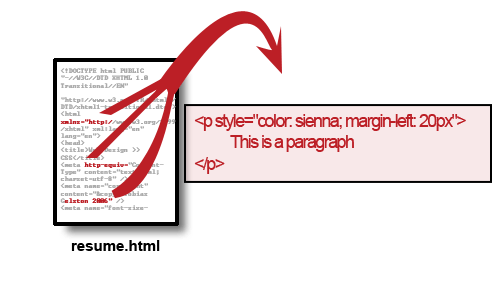
For example:
In the XHTML File...
<p style="color: sienna; margin-left: 20px">
	This is a paragraph
</p>
The output...
This is a paragraph
Internal Styles
Internal Styles
Internal styles are stored in the head tag of the XHTML document.
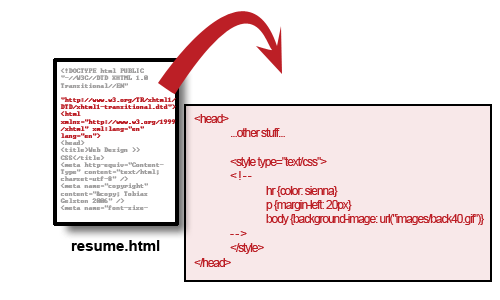
For example:
In the XHTML File...
<head>
	<style type="text/css">
	<!--
		hr {color: sienna}
		p {margin-left: 20px}
		body {background-image: url("images/back40.gif")}
	-->
	</style>
</head>
This way we can store this CSS in the Head and use it later.
External Styles
External Styles
External styles are stored in a completely separate file saved as .css.
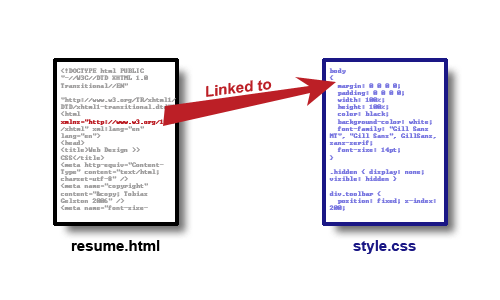
For example:
In the XHTML File...
<head>
	<link rel="stylesheet" href="stylesheet.css" media="screen,projection" type="text/css" />
</head>
This way we can store this CSS in a separate file and use it later.
Which to use?
Which to use?
Which is best?
- Inline - within each element you want to modify
- Internal - stored in the head tag
- External - stored in a separate file
All have their advantages and disadvantages; however, in most cases it is best to use an external style sheet.
Why?
Apply it
Apply it

Assignment 2 - Part 2
- Create an external stylesheet.
- Properly link it to your XHTML resume file.
- Create a CSS rule for the following XHTML tags
- The rule can affect the following:
- font-family - font face
- font-size - size of the font
- color - font color
- margin - refer to the Box Model
- padding - refer to the Box Model
- border - refer to the Box Model
- background-color - background color
CSS Class Examples
Classes, when you don't want all elements styled the same.
- Class names start with a period (.)
- Apply as the class attribute to elements
- Create rules for class as you would any element
- In addition to classes you have Class IDs (more soon)
CSS is Head of the Class
Any content of the elements that the new class is applied to will be red and large
.new {
	color: #ff0000;
	font-size: large;
}
Example use of the new class
<p class="new">Last week to register for Sept. SAT Test.</p>
Any content of the elements that the new class is applied to will be red and large
Another Example
In the stylesheet...
.right_align { text-align: right; }
In the webpage's XHTML...
<p class="right_align">Today's Date: September 25, 2006</p>
Apply it
Apply it
Set up and use a class in your stylesheet for your resume.